

 Newton
Experimental
A look at the node-builder concept: connected steps, clear handoffs, and human decisions.
Design exploration, not an available feature. This section collects ideas being considered for Newton. The images show possible interfaces and workflows, not implemented controls or a release commitment.
A node builder for a branch
Imagine a branch view where you can arrange a repeatable piece of work as connected steps. Start with a result you want, choose the inputs and the model or tool for each step, then draw the connections that carry useful material toward the output.
The working proposal calls these saved processes Flows; the visual studies use Chain. A node represents a bounded step. A connection says which output the next step receives. You define the route, including the places where work must wait for your judgment.
From a trigger to a finished proposal
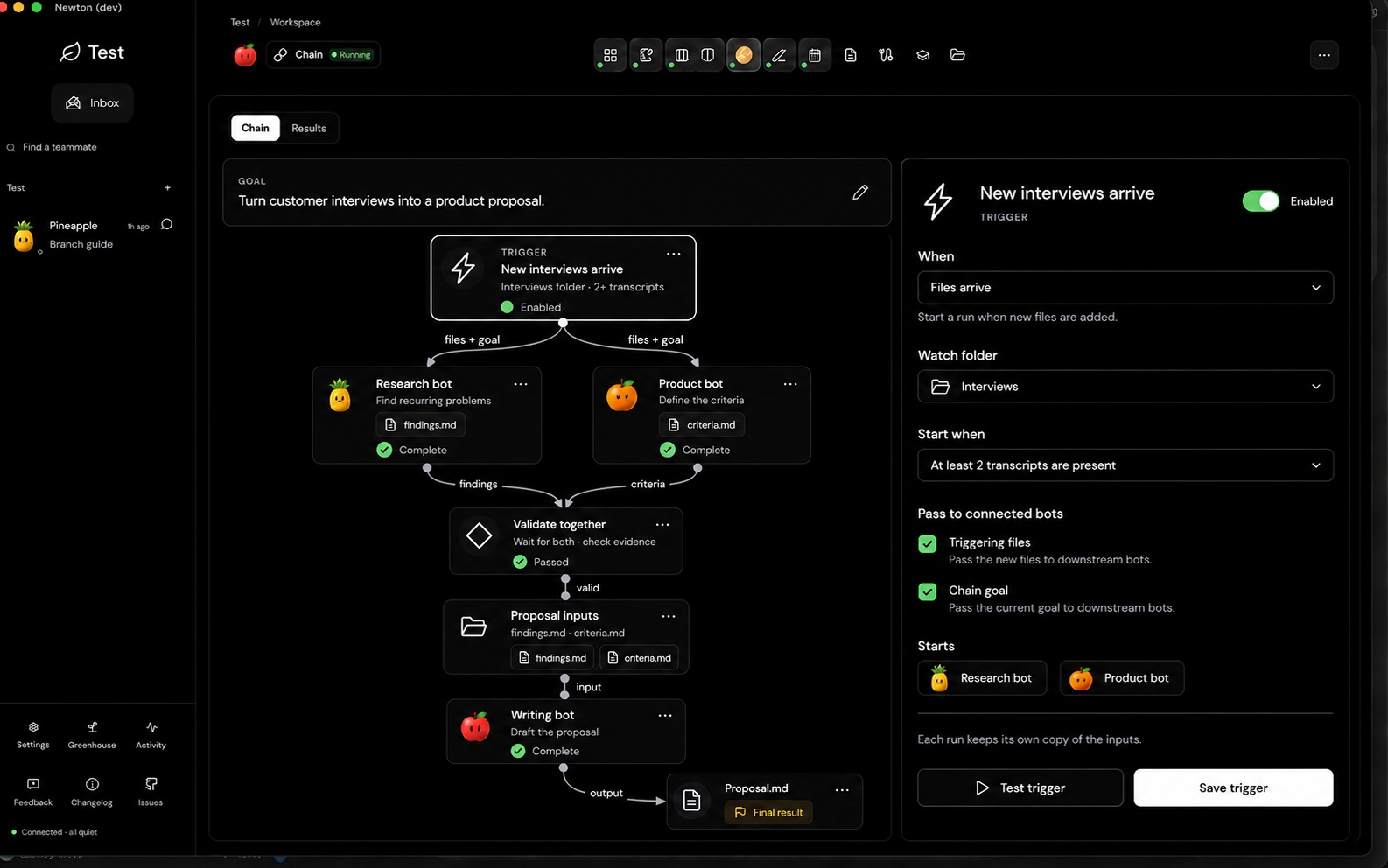
In this study, new interview files would start two lines of work. A research step looks for recurring problems while a product step defines the criteria. Their outputs meet at Validate together: the next step waits until the required material is present and meets the stated conditions.
A folder node makes the handoff tangible. It holds the approved findings and criteria, then supplies them to a writing step. The final connection is labeled output, ending at the proposal file. The trigger inspector explores where you would choose what starts the process, which folder to watch, and what to pass downstream.
A freeform development flow
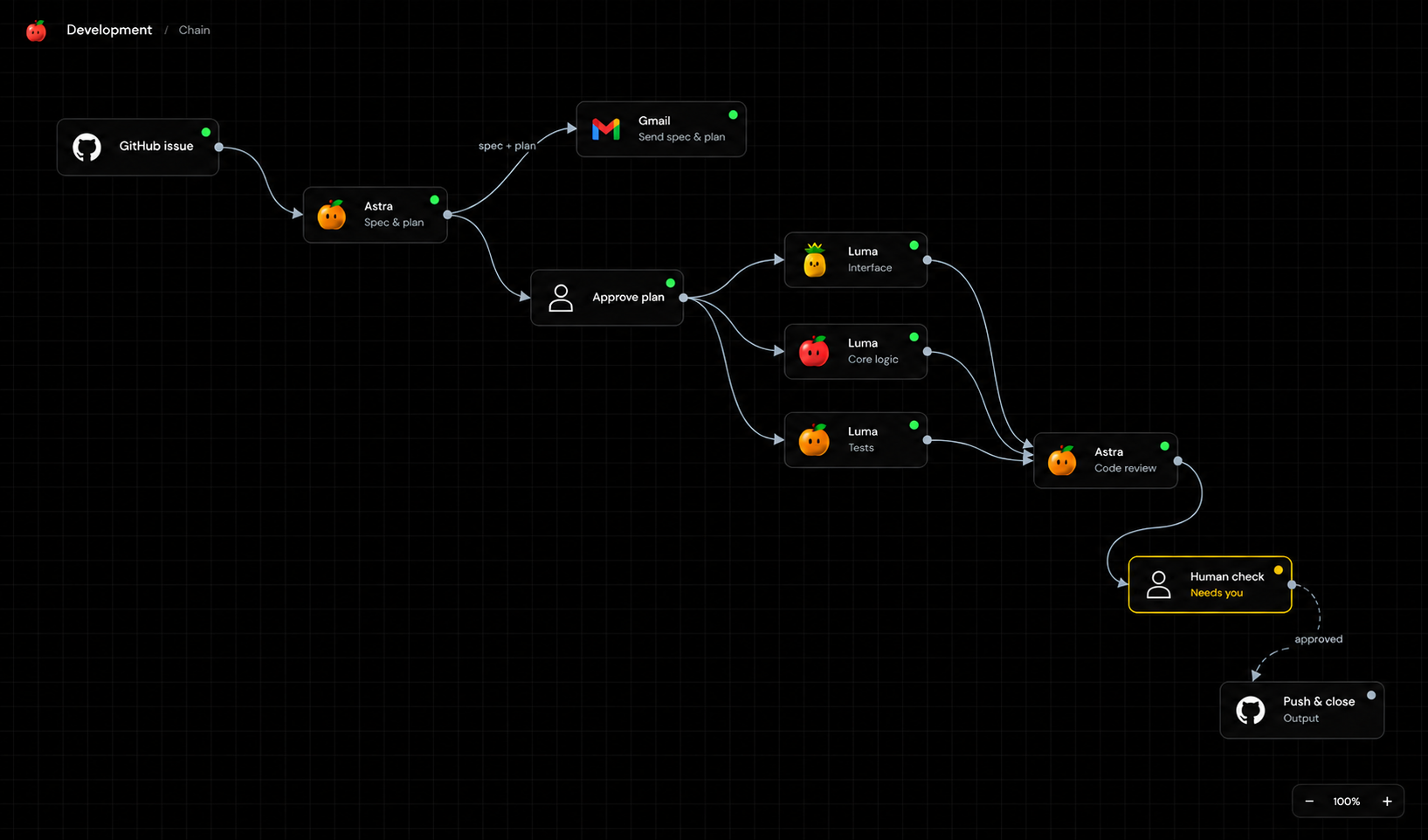
This example begins with a GitHub issue. A planning step prepares a specification and plan, with a separate connection showing a possible Gmail handoff. After human approval, the diagram splits into interface, core-logic, and test work, then joins again for code review.
A final Human check stands between the reviewed work and the proposed Push & close output. The open canvas and subtle grid leave room to move nodes around without keeping a settings panel open. The model names and service logos illustrate assignments and destinations; they do not establish available integrations.
What the first version would focus on
The smaller proposal starts with manual runs and five step types: Input, Write, Image, Review, and Save. Steps would run sequentially, carry only the connected material, and save results into the branch. Image steps would require a verified image-generation capability.
- Make handoffs explicit. Name the text, records, or files a connection carries.
- Make human decisions visible. Pause at review steps until the selected material is approved.
- Keep successful results. Retry a failed item deliberately without recreating every successful output.
- Keep execution bounded. Choose the steps and models in advance; do not let the model quietly expand the flow.
Automatic triggers, parallel workers, conditional routing, Gmail delivery, and GitHub publishing in the mockups explore a broader direction. They are outside that initial proposal. Its Save step would produce local drafts, not send messages, push changes, or close issues.
For features you can use today, return to Treehouse & its views or Routines.