

 Newton
Knowledge & insights
Keep lasting context connected to the sources behind it.
Knowledge is shared branch memory: facts, decisions, goals, questions, lessons, and the relationships between them. It helps you return to the reasons behind the work rather than reconstructing them from a long chat.
Read the graph
Open Knowledge in the top view row. Choose Graph, List, or History at the upper left. Graph offers 3D and 2D presentations; List is useful when you want to scan entries as text.
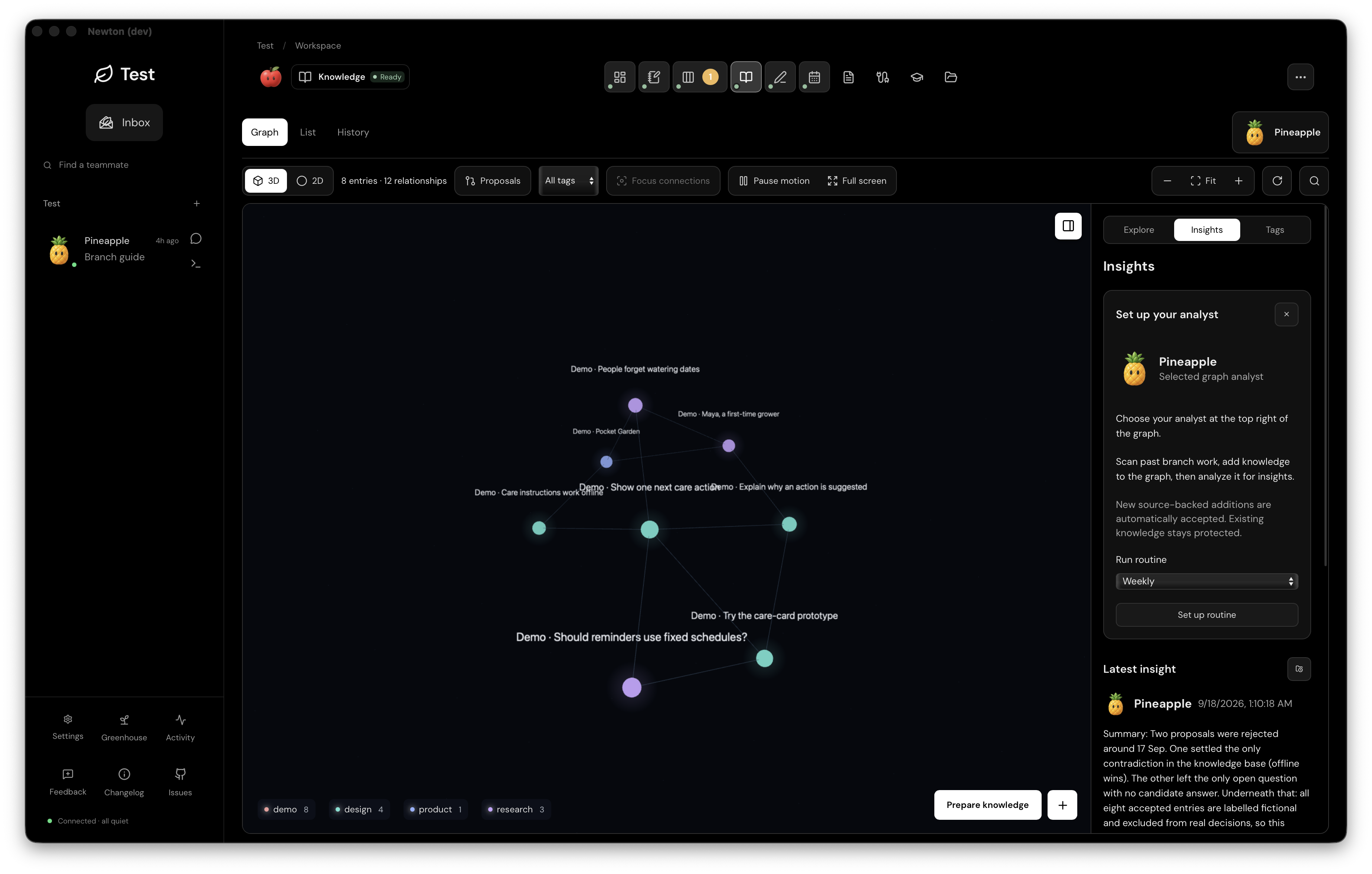
- Graph area: explore nodes and the stored relationships joining them. Select an entry to read its content and sources.
- Controls above the graph: filter by tag, include proposals, focus connections, pause motion, or use Fit and zoom to regain your bearings.
- Right panel: move between Explore, Insights, and Tags. Close the panel when the graph needs more room.
- Analyst at the upper right: choose the bot that helps review and interpret this branch’s knowledge.
Position and distance help arrange the graph on screen; they are not evidence that two ideas are related. Read the stored relationship and its reason. A source link lets you examine where a claim came from.
Add knowledge deliberately
Use New entry for something you want to record yourself. Use Prepare knowledge to select sources and ask a bot to prepare additions for review. Review proposed changes in context before accepting them. Accepted knowledge becomes available as shared branch memory.
A file being present or indexed does not make everything in it an accepted fact. Keep source material, proposed interpretation, and accepted knowledge distinct.
Ask for insights
Open Insights in the right panel. Choose an analyst, ask a question about the graph, or request a briefing. The panel keeps the latest insight close to the graph; Insights History opens saved briefings in Files.
The analyst routine has a different review rule: when enabled, new source-backed additions from that routine can be accepted automatically. Existing knowledge stays protected by the workflow. This is not the same as manually preparing proposals, and the guide should not promise that every addition always waits for a click.
Use the history when meaning changes
Check History when you need to understand how branch knowledge changed. Prefer a clear correction with its sources over leaving contradictory instructions scattered across old conversations.